How to Create a Cursor Plugin: Context Engineering You Can Install
Plugins are how you ship rules, skills, agents, MCP, and hooks as one bundle. Here's the structure, local workflow, and practices that keep agent context lean.
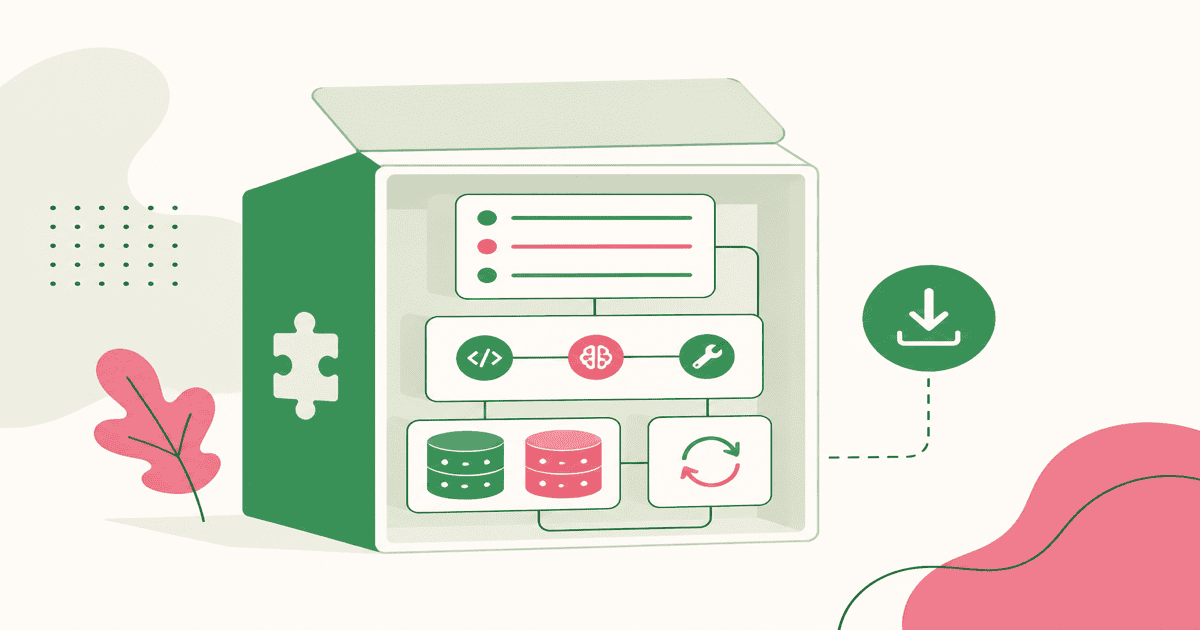
Last year my agent setup was a private museum. Rules lived in one repo. Skills sat in ~/.cursor/skills. MCP configs were a Slack screenshot. Hooks existed only on my laptop. A teammate cloned the same codebase and got a worse agent than I did. That is not a model problem. That is a packaging problem.
A plugin is context engineering you can install. Cursor's Customize page and marketplace exist so rules, skills, agents, scripts, MCP, hooks, and memory travel as one versioned bundle instead of a tribal checklist.
The Stack a Plugin Actually Bundles
Context engineering is the job of deciding what the agent knows, when it knows it, and what it is allowed to do. A plugin does not invent new primitives. It packages the ones Cursor already has.
| Primitive | Job | When it belongs in a plugin |
|---|---|---|
| Rules | Persistent guidance (.mdc) | Standards that should apply without being asked |
| Skills | On-demand workflows (SKILL.md) | Multi-step tasks with scripts and references |
| Agents | Focused subagent prompts | Maker/checker splits you reuse across repos |
| Commands | Slash entry points | Explicit actions people will type on purpose |
| Scripts | Deterministic helpers | Fragile ops you do not want the model to rewrite |
| MCP | Tools and live data | APIs, tickets, databases, browsers |
| Hooks | Lifecycle control | Format-on-edit, block dangerous shells, audit |
| Memory | Durable state between sessions | Keep it in files or MCP; do not dump it into always-on rules |
I treat memory as a sibling, not a plugin field. Cursor Memories, a STATE.md bank, or an MCP memory server persist what happened. The plugin should teach the agent how to read and write that state, not stuff last week's decisions into an always-on rule.
flowchart TB
    P[Plugin bundle]
    P --> R[Rules]
    P --> S[Skills + scripts]
    P --> A[Agents + commands]
    P --> M[MCP]
    P --> H[Hooks]
    S --> MEM[Memory files / MCP]
    R --> CTX[Agent context]
    A --> CTX
    M --> CTX
    H --> CTX
    MEM --> CTX
The design question is always the same: does this belong in the prompt every time, only when relevant, or never in the prompt at all because a script or hook should enforce it?
Pick a Format Before You Scaffold
Cursor loads two plugin formats. The plugins docs make the split explicit.
Agent Plugins follow the open Agent Plugins standard. Manifest is plugin.json at the plugin root. You can ship skills and MCP servers. Spec-conformant plugins load in Cursor without changes, which matters if you also care about other clients.
Cursor Plugins use .cursor-plugin/plugin.json. You get skills and MCP plus rules, agents, commands, hooks, and variables. That is the format I use when the plugin is meant to change how Cursor behaves, not just hand it a skill.
Rule of thumb I actually use:
- Portable skill + MCP for a vendor API → Agent Plugin
- Team coding standards, review subagent, format hook, slash command → Cursor Plugin
Start with one use case, not every folder. Cursor's create-plugin plugin scaffolds this: /add-plugin create-plugin, then /create-plugin with a name, purpose, and the component types you actually need.
The Smallest Plugin That Is Still Real
A Cursor Plugin is a directory. The parser discovers components from default folders unless you override paths in the manifest.
payments-review/
├── .cursor-plugin/
│   └── plugin.json
├── rules/
│   └── no-hardcoded-keys.mdc
├── skills/
│   └── review-payment-intent/
│       └── SKILL.md
├── agents/
│   └── security-reviewer.md
├── commands/
│   └── review-payments.md
├── hooks/
│   └── hooks.json
├── scripts/
│   └── check-secrets.sh
└── mcp.json
The manifest only requires name. Fill the rest anyway. Discovery, marketplace review, and your future self all need them.
{
  "name": "payments-review",
  "version": "1.0.0",
  "description": "Review payment code for hardcoded keys, webhook mistakes, and Stripe MCP usage.",
  "author": { "name": "Your Team" },
  "keywords": ["payments", "security", "stripe"],
  "license": "MIT"
}
Names are lowercase kebab-case. Paths in the manifest stay relative. No .., no absolute paths. If you set "skills": "./my-skills/", that replaces folder discovery for skills. Leave fields out unless you need a custom layout.
The official template ships two starters: starter-simple (rules and skills) and starter-advanced (the full set). I copy simple first. Advanced is a catalog, not a goal.
For an Agent Plugin, drop .cursor-plugin/, put plugin.json at the root with the schema URL, and keep only skills/ plus mcp.json.
Component Best Practices That Save Context
Every token in a plugin competes with the user's request. The agent is already smart. Only add what it does not already know.
Rules stay short and scoped. alwaysApply: true is expensive. Use it for a handful of non-negotiables. Use globs for file-shaped standards (**/*.vue). Use a description and alwaysApply: false when the agent should pull the rule in. Cursor's rules docs say it plainly: do not paste a style guide the linter already owns. Point at a canonical file with @ instead of copying it.
Skills are the workflow layer. Each one lives in skills/<name>/SKILL.md. The description is the discovery API: third person, what it does and when to use it, with trigger terms in the sentence. Keep SKILL.md under 500 lines. Put long API tables in reference.md. Set disable-model-invocation: true only when people should type /skill-name; omit it when the agent should self-select.
Scripts beat generated code for anything fragile: secret scans, schema dumps, validators. The skill should say "run scripts/check-secrets.sh" not "write a scanner."
Agents are roles, not encyclopedias. A security-reviewer that checks injection, authz, and secret leakage is useful. A subagent that restates your architecture is a second always-on rule. Keep the maker/checker split.
Commands are for intent you want explicit. /review-payments should load a short procedure. If nobody will type the slash, it is a skill.
Hooks, MCP, and Secrets
Hooks are for things that must happen even if the model is wrong. Hooks are processes on stdio. afterFileEdit can format. beforeShellExecution can block rm and curl. beforeMCPExecution can gate tools. Do not write a rule that says "please format" when a hook can format.
MCP is live context, not documentation. Put mcp.json at the plugin root. Declare secrets as plugin variables, then reference ${API_TOKEN} in config. Users set values under Plugins → Configure. Marketplace plugins are open source and manually reviewed; a committed token fails that review.
A Stripe-shaped plugin is the example I keep coming back to: MCP for the API, a skill for payment-intent code, a rule that flags hardcoded keys, a hook that scans edits. One install. Same agent behavior on every laptop.
Test Locally Before You Tell Anyone It Exists
Cursor loads in-progress work from ~/.cursor/plugins/local. Official docs now document this path. Symlink so you are not copying files on every save:
ln -s /path/to/payments-review ~/.cursor/plugins/local/payments-review
Then Developer: Reload Window. Confirm rules, skills, and MCP show up in Customize.
Three gotchas that ate my time:
- Manifest must sit at
~/.cursor/plugins/local/<name>/.cursor-plugin/plugin.json. An extra nested folder and the plugin is invisible. - Enable Include third-party Plugins, Skills, and other configs. If it is off, nothing loads.
- On Team or Enterprise, org policy can set
userLocal=false. The folder can be perfect and still be ignored. That is an admin setting, not a broken manifest. The forum thread on local plugins is the shortest write-up of that failure mode.
Reload after manifest or hook changes. Skills and rules are cheaper to iterate; hooks and MCP need a real exercise: trigger the event, call the tool, read the log. The create-plugin skill review-plugin-submission is a useful linter. It is not a substitute for running the plugin on a real task.
Ship It: Repo Shape, Teams, Marketplace
When the plugin works on your machine, put it in git.
- Single plugin: repo root is the plugin. One
.cursor-plugin/plugin.json. No marketplace file. - Multi-plugin: repo root has
.cursor-plugin/marketplace.jsonlisting each pluginnameandsourcefolder. The template defaults to this. Use it when you are publishing a family (lint rules, docker skill, payments review), not when you have one idea.
Submission is a review, not an npm publish. Push a public repo, then submit at cursor.com/marketplace/publish. The checklist that matters: unique kebab-case name, honest description, valid frontmatter, relative logo path, a README, every ${VAR} declared, tested locally.
Teams and Enterprise get private team marketplaces. Admins choose Default Off, Default On, or Required. Required is how you make the payments plugin as non-optional as CI. Community listings still live on cursor.directory.
What I Optimize For Now
I used to ask "what should I put in the prompt?" I now ask which primitive owns this, and can it travel?
Always-on rules for a few invariants. Skills for procedures. Scripts for truth. Hooks for enforcement. MCP for live systems. A thin subagent for review. Memory in files the skill knows how to update. The plugin is the box that makes that mix installable.
The agent still forgets between sessions. The repo does not. A plugin is how the repo's memory, tools, and taste show up on the next machine without a 40-minute walkthrough.
Build the smallest bundle that changes agent behavior in a way you can feel. Install it locally. Then share the box, not the museum.
New posts by email
I'll email you when I publish something new. Mostly AI agents, frontend, and things I'm learning on the job. Unsubscribe any time.